Sync Stats & Logs
Sync history is the core module for tracking data changes and troubleshooting synchronization issues.
BookmarkHub provides a comprehensive suite of security and management tools. It not only tracks the history of data changes but also offers multiple layers of failure prevention and recovery.
You can access this interface via:
Right-click the extension icon -> Options -> Select [Sync Logs] in the sidebar
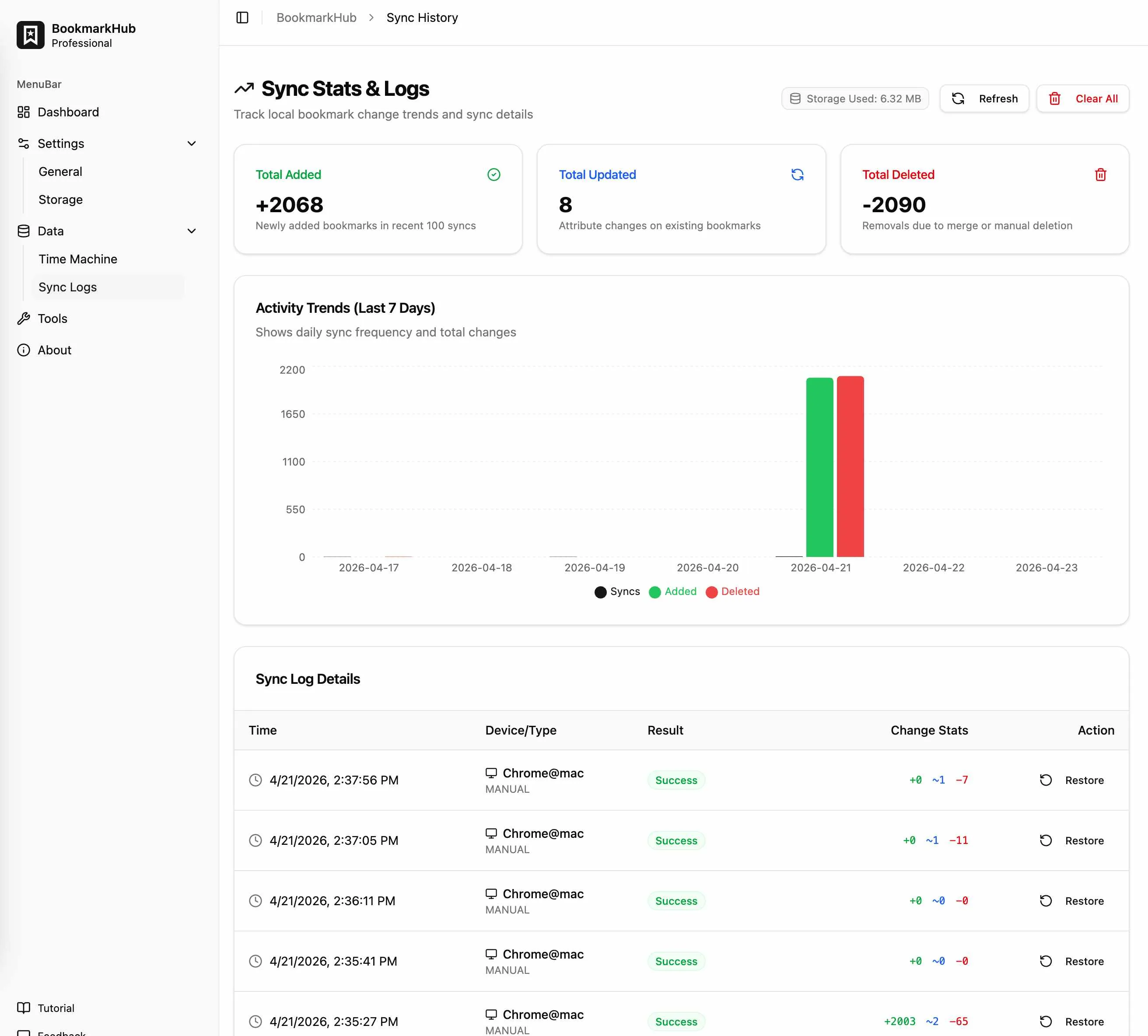
Visual Activity Trends
Section titled “Visual Activity Trends”The system records activity from the last 7 days and presents it in an intuitive bar chart:
- Sync Frequency: How often synchronizations are performed daily.
- Change Details: Daily statistics on the number of bookmarks added, updated, or deleted.
Detailed Sync Logs
Section titled “Detailed Sync Logs”The log list displays details for the most recent 100 synchronization records:
- Time & Device: Precise sync time and the name of the device that initiated the operation (e.g., “My MacBook Pro”).
- Sync Result: Shows success or failure. If an operation fails, you can click the entry to see the specific error reason (e.g., network timeout, expired API credentials).
- Change Count: Clearly shows the number of changes made during the sync (
+Added /~Modified /-Removed).
History Rollback
Section titled “History Rollback”If you notice unexpected changes after a sync, locate the specific record in the log list and click the [Restore] button. The system will use that snapshot to overwrite all current bookmarks and reset the sync state to that moment, providing a near-instant “rollback.”
Q: Will sync history consume a lot of disk space?
A: The system automatically purges old synchronization logs. You can customize the number of snapshots to keep, allowing you to balance security with storage performance.