Storage Settings
BookmarkHub is designed with a plug-in-style storage adapter system. As long as the configuration is valid, you can shift your bookmark stream to any supported carrier on demand at any time. All configurations are completed in the extension’s Settings -> Storage Services.
Git-based Platforms
Section titled “Git-based Platforms”Leveraging Git’s version management capabilities, you can track historical changes to your bookmarks and support “Time Machine” rollbacks.
GitHub Repo
Section titled “GitHub Repo”The most recommended way to host your bookmarks.
- GitHub Token: Classic Token is recommended. Ensure it includes
repopermission, and set the expiration to “No expiration”. - Repo Owner: Your GitHub username.
- Repo Name: The repository used for storing bookmarks, e.g.,
bookmarks-backup. - Branch (Optional): Defaults to
main. - File Path: The saved filename, e.g.,
bookmarkhub.json.
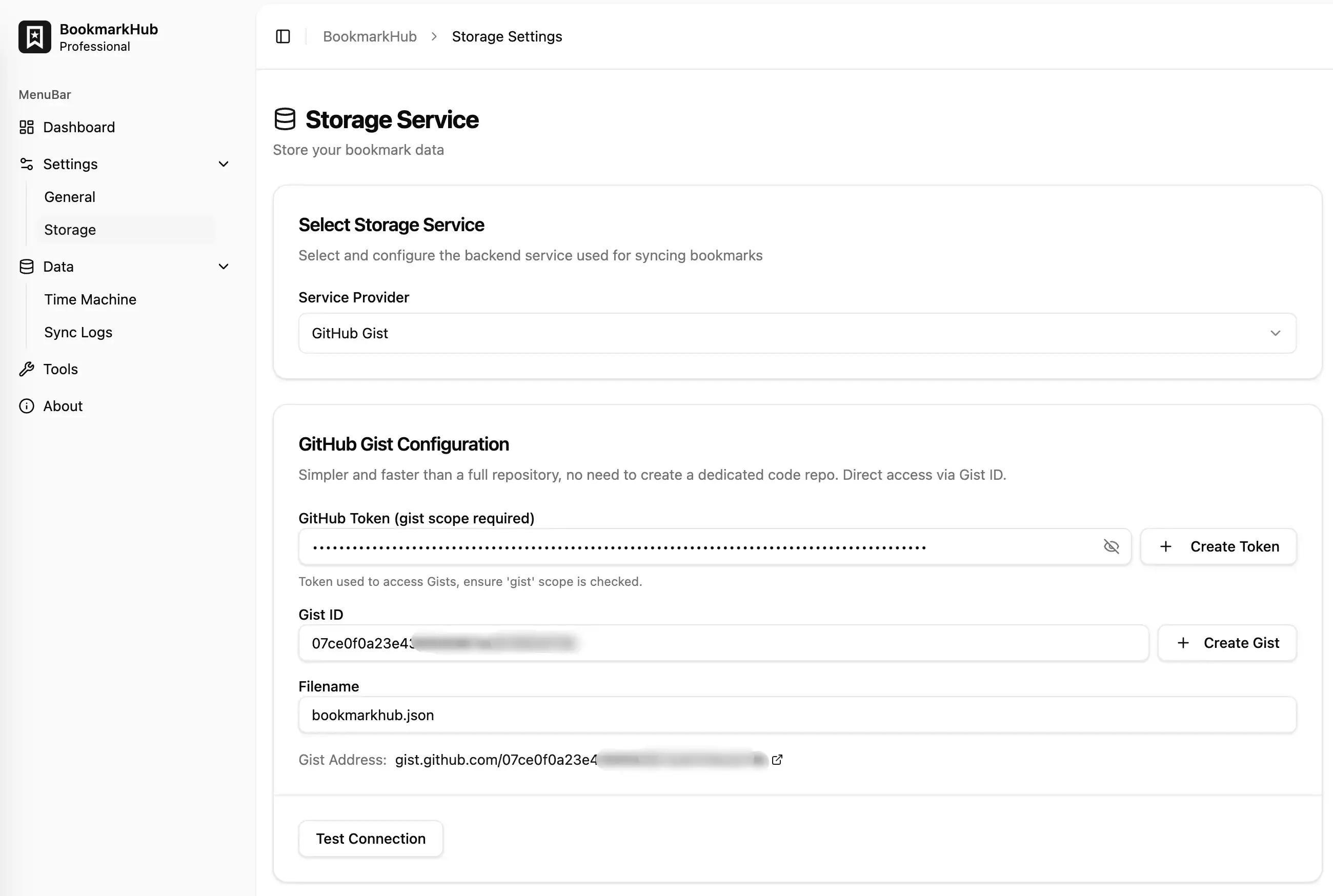
GitHub Gist
Section titled “GitHub Gist”Simpler and faster than a full repo, with no need to create a dedicated code repository.
- GitHub Token: Requires
gistpermission. - Gist ID: 32-character hexadecimal string.
- Filename: Defaults to
bookmarkhub.json.
Gitee Repo
Section titled “Gitee Repo”Faster access speed for users in China.
- Gitee Access Token: Ensure it includes
projectsandpull_requestspermissions. - Repo Owner: Your Gitee username.
- Repo Name: Corresponding Gitee repository name.
- Branch (Optional): Defaults to
master. - File Path: Storage path.
GitLab Repo
Section titled “GitLab Repo”Supports official GitLab or your self-hosted instance.
- GitLab Base URL: For self-hosted instances, fill in the full address (e.g.,
https://git.yourdomain.com). - GitLab Access Token: Requires
apiaccess permission. - Project ID / Path: For example,
12345orusername/repo. - File Path: Storage path.
Standard Protocols
Section titled “Standard Protocols”If you have a NAS or use third-party cloud disks that support standard protocols, this is the best choice.
WebDAV Service
Section titled “WebDAV Service”WebDAV is a standard protocol that can access various cloud disks or private clouds.
- Server URL:
- Nutstore (China):
https://dav.jianguoyun.com/dav/ - Nextcloud:
https://your-domain.com/remote.php/webdav/ - Synology NAS:
https://your-nas-ip:port/ - FN-NAS:
https://your-nas-ip:port/
- Nutstore (China):
- Username: Service account username.
- App Password: Strongly recommended to use an “App-specific password” instead of your main account password.
- File Path: Physical path of the remote file, e.g.,
/bookmarks/data.txt.
S3 Compatible Storage
Section titled “S3 Compatible Storage”Supports AWS S3, Cloudflare R2, MinIO, Alibaba Cloud OSS, etc.
- Access Key ID / Secret Access Key: Your access keys.
- Bucket: Pre-created bucket name.
- Endpoint: Leave empty for AWS S3. For services like MinIO or R2, fill in the full URL.
- File Object Key (Path/Key): Storage file path, e.g.,
bookmarks/data.txt. - Force Path Style: Typically needs to be enabled for MinIO or some older S3-compatible services.
Cloud Drives
Section titled “Cloud Drives”Store bookmarks using official APIs of major cloud disks, usually authorized quickly via OAuth.
Google Drive
Section titled “Google Drive”- Authorization: Click the “Authorize” button to complete the connection—no manual Token generation required.
- Filename: Storage filename.
OneDrive
Section titled “OneDrive”- Authorization: Connected via the Microsoft Graph API.
- File Path: Storage file path.
How to Choose?
Section titled “How to Choose?”- Stability & Version Control: Recommended GitHub Repo.
- Minimalism: Recommended GitHub Gist.
- China Users: Recommended Gitee or Nutstore (WebDAV).
- Privacy & Self-hosting: Recommended WebDAV (NAS) or MinIO (S3).