Advanced Tools
BookmarkHub provides a comprehensive suite of security protection and management tools. It not only tracks data changes but also offers multiple layers of failure prevention and recovery.
You can access this interface via:
Right-click the extension icon -> Options -> Select [Advanced Tools] in the sidebar
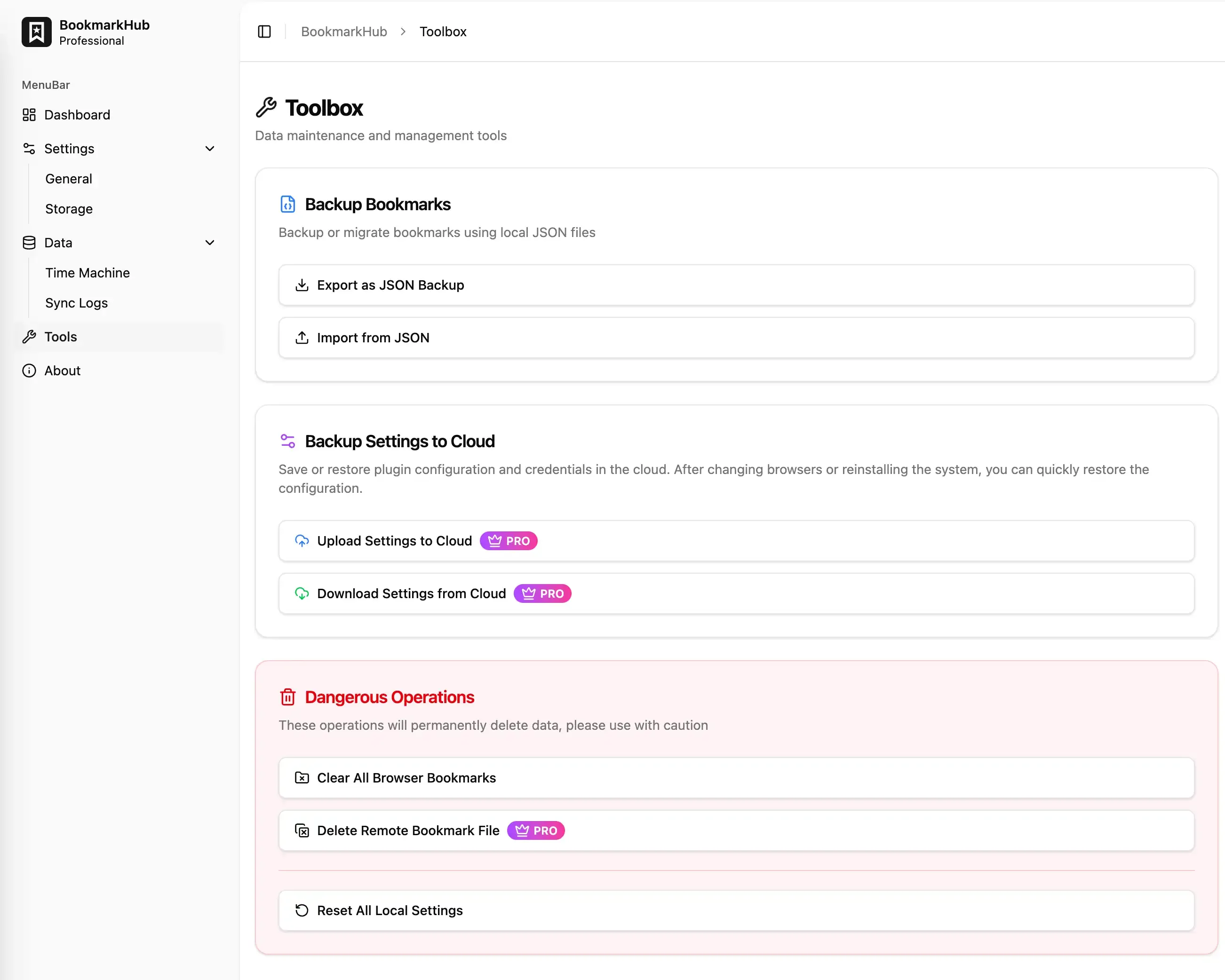
Bookmark Backup Tools
Section titled “Bookmark Backup Tools”In addition to relying on automatic synchronization from storage services, you can also use local tools for manual management.
JSON Enhanced Backup
Section titled “JSON Enhanced Backup”Unlike standard browser HTML exports, BookmarkHub’s JSON backup includes unique ID mappings, device metadata, and SHA256 integrity hashes.
- Export: Full export of current browser bookmarks as a
.jsonfile. - Import: Allows restoring bookmarks from a previously exported JSON backup file.
Sync Extension Configuration (Pro)
Section titled “Sync Extension Configuration (Pro)”If you use BookmarkHub on multiple devices, you don’t need to re-enter API keys, excluded folders, or encryption passwords on every computer.
- Upload Configuration: Securely save all current preferences and credentials to your cloud storage.
- Download Configuration: Pull your configurations from the cloud with a single click after logging into a new device for a seamless “zero-config” experience.
Dangerous Zone
Section titled “Dangerous Zone”This area contains operations that may lead to data loss. Please proceed only if you fully understand the consequences:
- Clear All Browser Bookmarks: Permanently erase all bookmark content from the current browser (system folders like the “Bookmarks Bar” are kept, but their contents are cleared).
- Delete Remote Storage Data (Pro): Attempts to permanently delete sync files from your cloud backend (e.g., GitHub, WebDAV).
- Reset All Local Settings: Restores all extension settings, themes, and sync strategies to their factory default state without affecting the bookmarks themselves.
Q: Since I have synchronization, why do I still need JSON backups?
A: A JSON backup is a complete static snapshot of your bookmarks at a specific moment. Exporting a JSON backup is a best-practice security measure before performing major manual cleanups or when cloud storage is not yet configured.